
2026年度AI大模型调度中枢横向评测:企业级API聚合平台的选型复盘
2026-06-29 3372548

2026-06-20 0
Datawhale干货
作者:筱可,Datawhale成员
OpenAI 的 Codex CLI 是最近最好用的编程 Agent 之一,但默认连的是 OpenAI 自家模型。
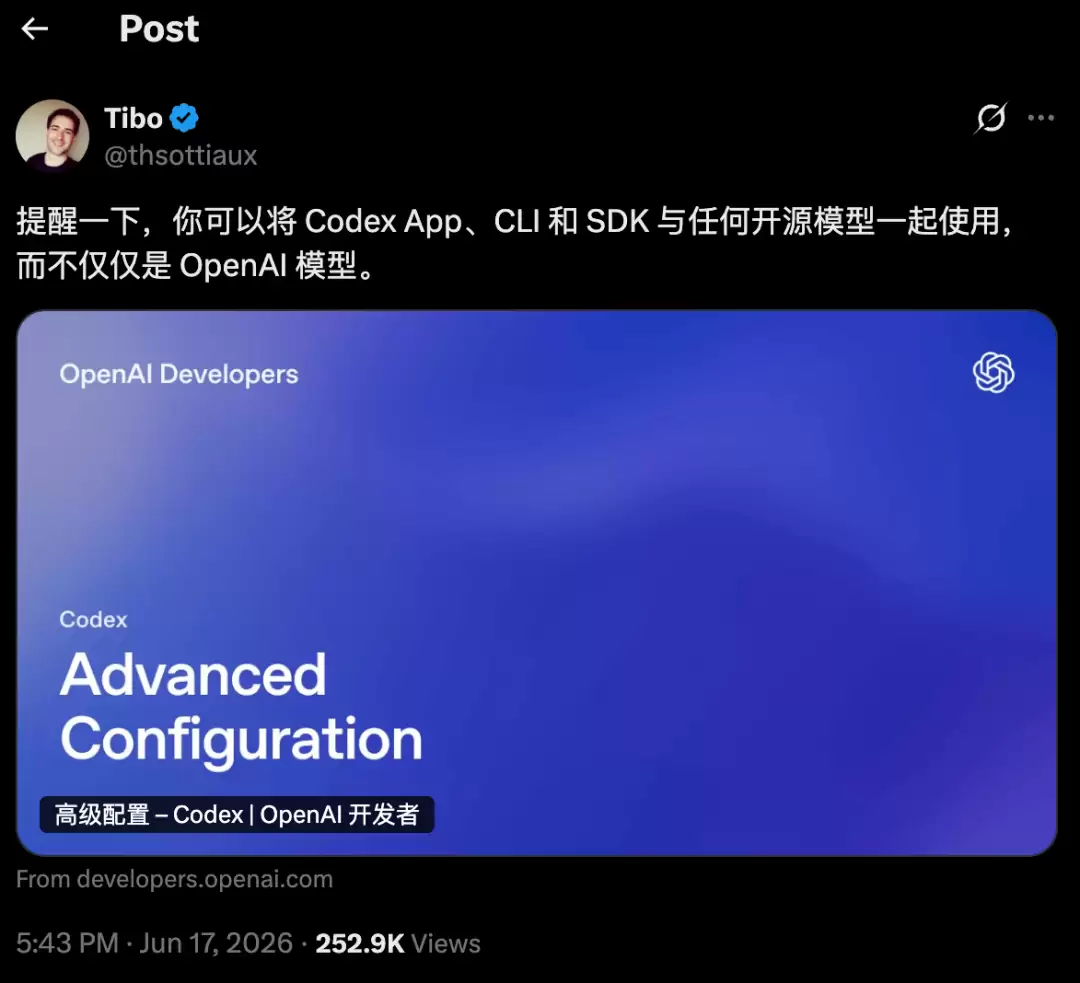
就在刚刚,OpenAI Codex 负责人 Tibo 在 X 上首次官方强调:Codex App、CLI 和 SDK 可以搭配任何开源模型使用,不限于 OpenAI 模型。
但这个方法有个前提:Codex 从 2026 年 2 月起强制使用 Responses API(wire_api = "responses"),不再支持 Chat Completions。所以模型提供商的平台必须原生支持 OpenAI Responses API,Codex 才能直接对接。
阶跃星辰在这个月为平台上线了 Responses API 支持,并把step-3.7-flash作为首个接入 Codex 的模型。这篇文章直接教你把step-3.7-flash配进 Codex,再用它 review 一段代码。
一、前置准备:找到配置文件
Codex 的配置分两个文件,都在~/.codex/目录下(Windows 是C:Users<用户名>.codex):
~/.codex/
├── config.toml# 主配置:模型、提供商、功能开关
└── auth.json # 认证:API Key
把阶跃的 API Key 写入auth.json。API Key 在阶跃星辰开放平台获取。
{
"OPENAI_API_KEY":"你的阶跃API Key"
}
字段名仍然是OPENAI_API_KEY,Codex 会通过config.toml里的model_provider路由到阶跃。
model_provider = "stepfun"
model = "step-3.7-flash"
model_reasoning_effort = "high"
model_context_window = 256000
model_auto_compact_token_limit = 200000
model_reasoning_summary = "none"
model_supports_reasoning_summaries = false
preferred_auth_method = "apikey"
[model_providers.stepfun]
name = "StepFun"
base_url = "https://api.stepfun.com/v1"
wire_api = "responses"
几点注意:
model_reasoning_effort只支持 low / medium/ high三档,不要写 xhigh。
model_reasoning_summary 和 model_supports_reasoning_summaries必须显式关掉,阶跃不支持 reasoning summary 参数,否则会报 Unsupported parameter 错误。
base_url 必须用标准 API 通道 https://api.stepfun.com/v1,阶跃的 Responses API 目前只支持这个通道。
不要加 env_key = "OPENAI_API_KEY",否则 Codex 会去找系统环境变量而不是 auth.json。
第 3 步:验证
codexexec"说一句话证明你能正常工作"
如果运行后 Codex 正常返回内容,且顶部信息里显示model: step-3.7-flash、provider: stepfun,就说明接通了。
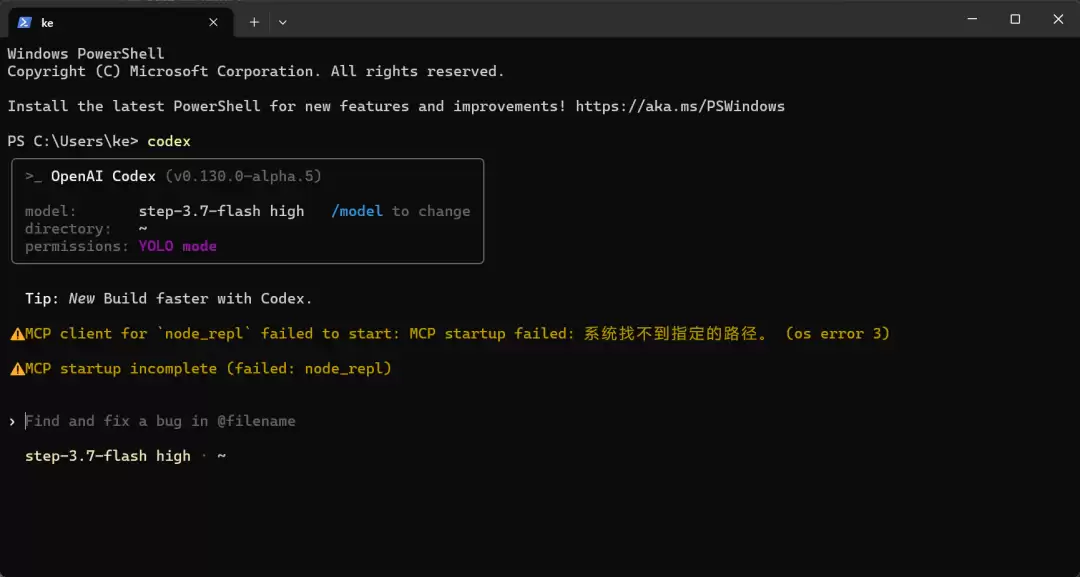
如果codex命令找不到,说明 Codex 安装目录没进 PATH。Codex 桌面版装在C:UserskeAppDataLocalOpenAICodexbin,手动加进用户 PATH 后重开终端即可:
$currentPath= [Environment]::GetEnvironmentVariable('Path','User')
$codexPath='C:UserskeAppDataLocalOpenAICodexbin'
[Environment]::SetEnvironmentVariable('Path',$currentPath+';'+$codexPath,'User')
配置好之后,直接让 Codex 帮你 review 未提交的改动:
codex review --uncommitted
Codex 会读取当前仓库的 diff,用step-3.7-flash分析改动,给出 review 意见。如果你想针对某个具体文件,可以加上文件路径:
codex review --uncommitted src/utils.ts
或者用非交互模式快速拿到结果:
codexexec-o review.md"review 当前未提交的代码改动,列出潜在 bug、可读性问题和改进建议"
输出会写到review.md里,方便你之后逐条确认。
写在最后
把阶跃step-3.7-flash接入 Codex CLI,核心就三件事:确认平台支持 Responses API,config.toml 里配对 provider 和模型参数,auth.json 里填对 key。配置完成后,像codex review --uncommitted这类日常命令就能直接跑起来。
参考文献1.OpenAICodex,Customchat completionAPInot working after upgrade to codex>=0.59,GitHubissue #7051,2025-11-20. https://github.com/openai/codex/issues/70512.OpenAICodex,Deprecatingchat/completions support in Codex, GitHub discussion #7782, 2025-12-09. https://github.com/openai/codex/discussions/77823. 阶跃星辰开放平台,APIKey管理. https://platform.stepfun.com/interface-key4.Tibo(@thsottiaux),Reminderthat you can use theCodexApp,CLIandSDKwithanyopensource model, not just withOpenAImodels,X/Twitter, 2026. https://x.com/thsottiaux

一起“点赞”三连↓