200元档二手手机怎么选?低预算备用机候选与验机
2026-11-06 3469131

2026-07-06 0
santifer/career-ops 不是“海投自动器”。README 里把它描述成求职过滤和工作台:评估岗位、改简历、生成 PDF、跟踪状态、做公司研究,但不应该替你无脑投递。
这个 skill 教程适合想把 Claude Code、Codex、Gemini、OpenCode 等 AI CLI 变成求职操作台的人。最快路径是 npx @santifer/career-ops init;限制也要先知道:CV、目标岗位和门户配置越准确,后面的评估和 PDF 才越可信。
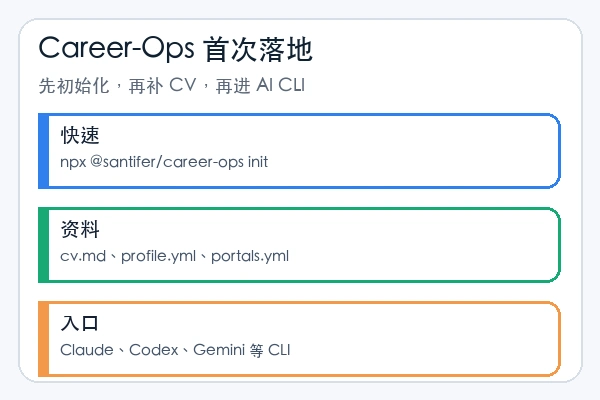
官方 Quick Start 给出的一行命令会把最新 release 克隆到 ./career-ops 并安装依赖。进入目录后,打开你常用的 AI CLI。
npx @santifer/career-ops init
cd career-ops
claude
codex
gemini
opencode
首次启动时,career-ops 会通过对话引导你设置 CV、profile 和目标角色。新手不要跳过这一轮,因为后面的匹配分数、简历改写和跟踪表都依赖这些基础文件。
如果更想自己克隆仓库,按 README 里的手动路径走。PDF 生成需要 Playwright Chromium;检查环境用 npm run doctor。
git clone https://github.com/santifer/career-ops.git
cd career-ops && npm install
npx playwright install chromium
npm run doctor
cp config/profile.example.yml config/profile.yml
cp templates/portals.example.yml portals.yml
touch cv.md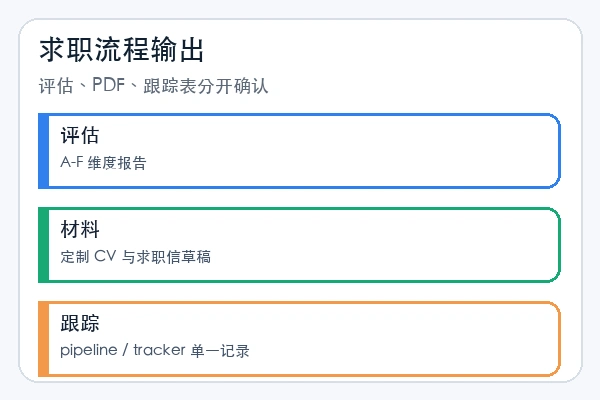
不要一开始批量塞 20 个岗位。先贴一个岗位 URL 或 JD 文本,让系统跑完整 auto-pipeline,观察是否生成评估报告、PDF 和 tracker 记录。支持 slash command 的 CLI 可以用 /career-ops;Codex 里可以直接用自然语言说模式名。
Run the career-ops pipeline mode for data/pipeline.md.
Run the career-ops pdf mode for the latest evaluated role.
Run the career-ops tracker mode and summarize the current statuses.Cover letter、email、contacto 等模式会产出求职材料和联系人话术,但它们默认是草稿,不代表已经发送、提交或点击。正式投递前要检查事实、公司名称、岗位匹配点和附件清单。Career-Ops 的价值是把求职流程变成可追踪系统,不是替你绕过判断。
读完后最稳的第一轮是:只放一个真实岗位,让系统生成评估、PDF 和 tracker 记录,再人工检查 CV、岗位事实和联系方式。单个岗位能跑完整,后面再开扫描和批处理,才不会把错误批量放大。